Edit in context
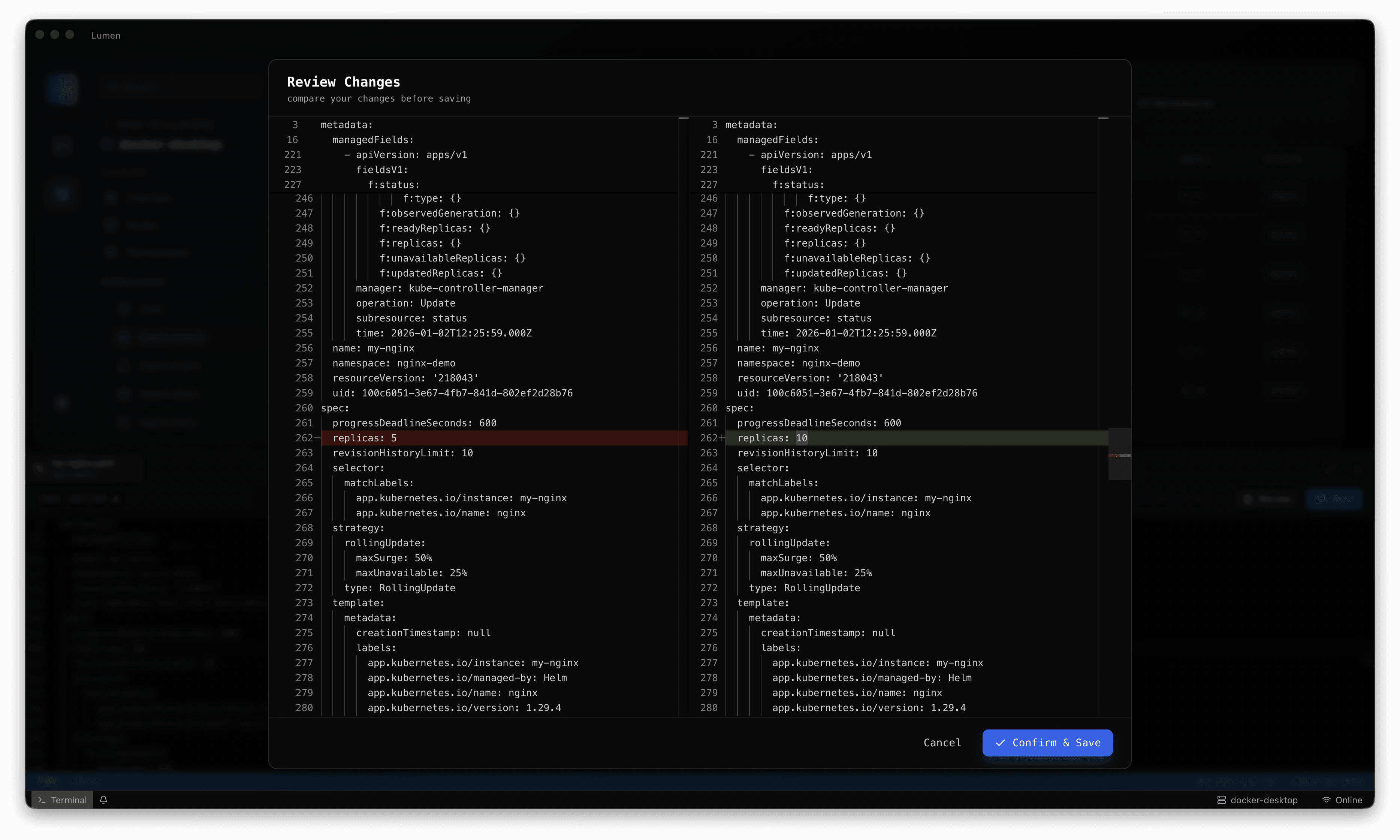
Work with live Kubernetes YAML without switching away from the resource you are investigating.
Lumen / Live resource editor
Bring resource inspection and YAML editing into the same workspace. Review configuration and available diffs with the target cluster and object in view.
01 / In your workflow
Work with live Kubernetes YAML without switching away from the resource you are investigating.
Compare changes and supported revision detail to understand what you are about to alter.
Use your team’s review and approval process. An editor helps you work; it does not guarantee a safe production change.
02 / A considered investigation
Direct edits may be overwritten by GitOps or other controllers. Keep your source of truth and change process explicit.
Start with your existing kubeconfig. Choose the cluster and namespace before investigating a resource.
Connect resource state with related workloads, events and logs. Build a picture of the issue before changing the system.
Inspect YAML and diffs, confirm the environment and permissions, then apply your team’s normal review and change process.
03 / Team adoption
Choose a representative non-production environment. Confirm resource visibility and credential boundaries, work through your common investigations and document the behaviours you want your team to standardise.
A clearer next step
Choose a release, connect an existing Kubernetes context and work through an investigation your team knows well. Talk to us when you need help with rollout or enterprise adoption.